

• Tools
    • Column 1
      • Essential
        • Photo Editor
        • Background Remover
        • Image Cropper
        • Image Resizer
        • Image Flipper
        • Image Brightener
        • Image Darkener
        • Text Editor
        • Color Replacer
        • Photo Blur
    • Column 2
      • Filters & Effects
        • Photo Cartoonizer
        • NFT Maker
        • Photo to Painting
        • Photo to Drawing
        • Photo to Sketch
        • Image Posterizer
        • Color Inverter
        • Sepia Converter
        • Grayscale Images
        • Photo Filters
        • Photo Frames
        • FX Cartoonizer
    • Column 6
      • Overlays & Masks
        • Image Masking
        • Mystical Fog
        • Falling Rain
        • Falling Snow
        • Add Glitch
        • Add Bokeh
        • Add Light Leaks
        • Image Blender
    • Column 3
      • Social Media
        • Profile Picture Maker
        • Avatar Maker
        • Meme Generator
        • Watermark Photos
        • Twitch Banner Maker
        • Photo Combiner
    • Column 4
      • Converters
        • PNG to JPG
        • JPG to PDF
        • PNG Converter
        • PNG Maker
        • Image Compressor
    • Column 5
      • Creative
        • Image Pixelator
        • Color Splash
        • Draw on Pictures
        • Background Changer
        • Hair Color Changer
        • Color Picker
        • Circle Cropper
  • Features
  • Pricing
  • Learn
  • Support
  • More
    • About us
    • Affiliate program
    • Contact us
© All rights reserved.
Photo to Cartoon – Cartoonize Yourself – Character Maker Photo to Cartoon – Cartoonize Yourself – Character Maker
  • AI Tools new
    • Face Restoration
    • Inpainting & Removal
    • Background Removal
    • Image Upscale
    • Image De-oldify
    • Face to Sticker
    • Prompt Generation
    • Photo to Anime
  • Tools
    • Column 1
      • Essential
        • Photo Editor
        • Background Remover
        • Image Cropper
        • Image Resizer
        • Image Flipper
        • Image Brightener
        • Image Darkener
        • Text Editor
        • Color Replacer
        • Photo Blur
    • Column 2
      • Filters & Effects
        • Photo Cartoonizer
        • NFT Maker
        • Photo to Painting
        • Photo to Drawing
        • Photo to Sketch
        • Image Posterizer
        • Color Inverter
        • Sepia Converter
        • Grayscale Images
        • Photo Filters
        • Photo Frames
        • FX Cartoonizer
    • Column 6
      • Overlays & Masks
        • Image Masking
        • Mystical Fog
        • Falling Rain
        • Falling Snow
        • Add Glitch
        • Add Bokeh
        • Add Light Leaks
        • Image Blender
    • Column 3
      • Social Media
        • Profile Picture Maker
        • Avatar Maker
        • Meme Generator
        • Watermark Photos
        • Twitch Banner Maker
        • Photo Combiner
    • Column 4
      • Converters
        • PNG to JPG
        • JPG to PDF
        • PNG Converter
        • PNG Maker
        • Image Compressor
    • Column 5
      • Creative
        • Image Pixelator
        • Color Splash
        • Draw on Pictures
        • Background Changer
        • Hair Color Changer
        • Color Picker
        • Circle Cropper
  • Features
  • Pricing
  • Learn
Get started
Sign in

Sign in

Photo to Cartoon – Cartoonize Yourself – Character Maker

Turn Any Photo into a Watercolor Canvas Print

Home / Learn / Blog / Turn Any Photo into a Watercolor Canvas Print
By Cristhy Calague inBlog, Creative

watercolor painting of a dog by colorcinch

Watercolor art has a way of making images feel softer, more emotional, and almost timeless. It takes a simple photograph and transforms it into something that feels hand-painted—like it belongs in a gallery or printed on canvas above someone’s living room wall.

The good news? You don’t need to be a painter or use complex software to achieve this effect anymore. With modern photo editing tools like Colorcinch, you can easily turn a photo into a watercolor-style artwork using built-in creative effects such as photo to sketch and photo to painting filters.

Let’s explore how this works, what makes a good watercolor-style image, and how you can create beautiful canvas-ready artwork from your own photos.

Why Watercolor Effects Work So Well in Photography

Watercolor effects are popular because they sit somewhere between photography and illustration. Instead of keeping every sharp detail, the image is softened, blended, and stylized—just like traditional watercolor painting.

This style works especially well for:

  • Portraits (family, couples, and pets)
  • Travel photos
  • Nature scenes
  • Minimal lifestyle images

What makes it so appealing is that it doesn’t remove the identity of the photo—it enhances the mood.
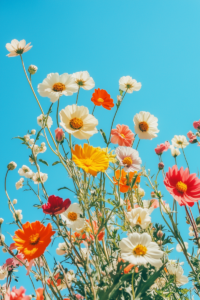
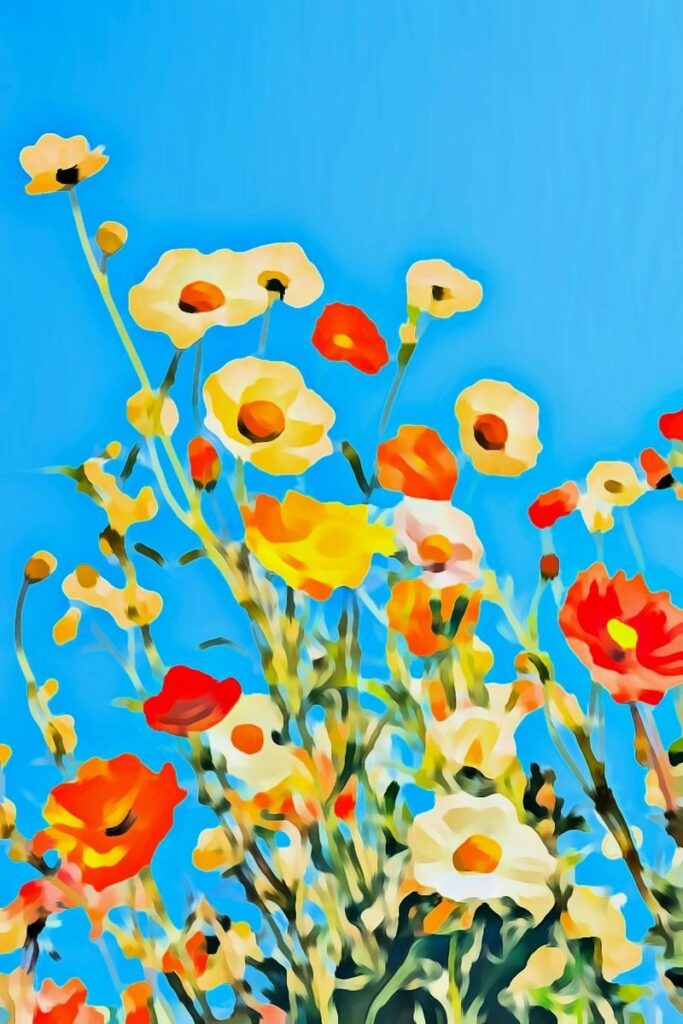
flower spring watercolor canvas art by colorcinch
Wildflowers in Bloom

From Photo to Art: How the Transformation Actually Works

When you apply a watercolor effect in a tool like Colorcinch, the software analyzes your image and adjusts key visual elements:

  • Edges are softened to mimic brush strokes
  • Colors are blended to imitate watercolor pigments
  • Fine details are reduced to create a painted feel
  • Contrast is adjusted to match natural paper textures

In Colorcinch, this process is made simple through ready-to-use effects, including:

  • Photo to sketch effects (for outlining and structure)
  • Photo to painting filters (for artistic color transformation)
  • Creative overlays and textures that enhance the watercolor style

Instead of manually editing layers like traditional software, you can achieve a painterly look in just a few clicks.

Creating a Watercolor Look Using Colorcinch

If you’re using Colorcinch, the workflow is intentionally beginner-friendly.

1. Start with a strong photo

Choose an image with:

  • Good lighting
  • A clear subject
  • Minimal background distractions

Portraits and nature shots tend to work best.
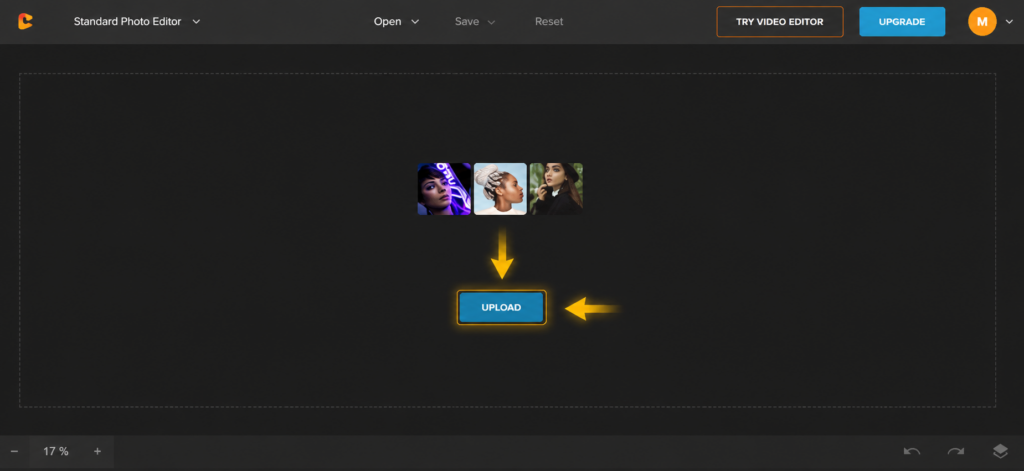
2. Apply a painting effect

This is where Colorcinch really shines.

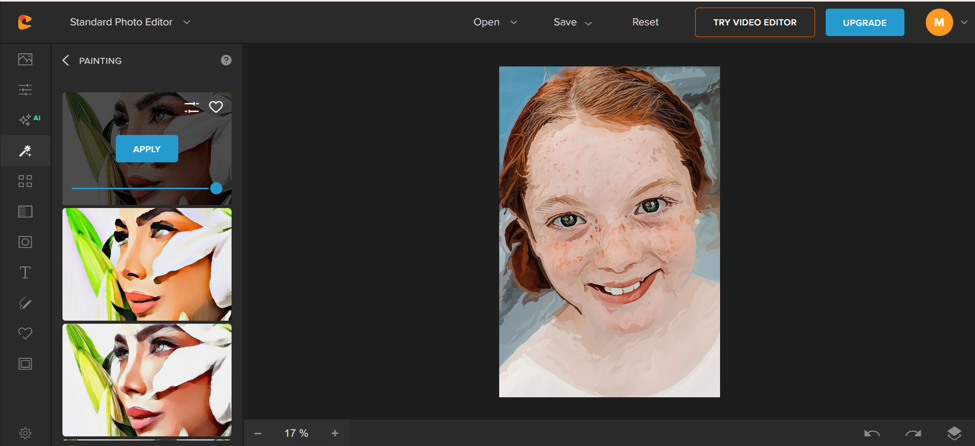
You can start directly with a photo to painting effect to transform your image into a stylized, artistic version. This adds soft brush-like textures and gives your photo a hand-painted feel while preserving key details of the subject.
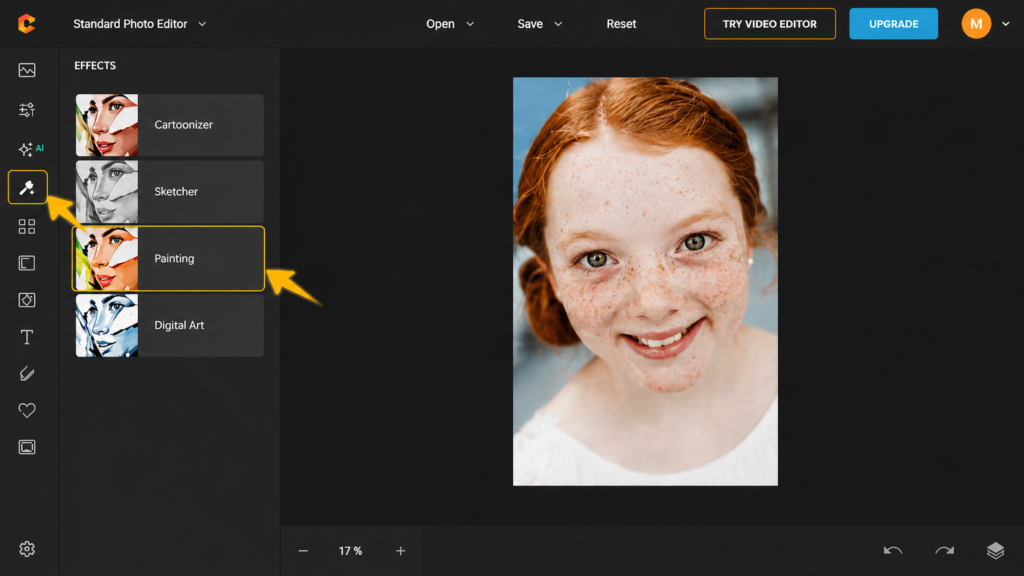
click effects

3. Fine-tune the artistic style

Adjusting intensity matters. Too strong, and it loses realism. Too soft, and the watercolor feel disappears.

The goal is balance:

  • Keep facial features recognizable
  • Allow colors to blend naturally
  • Avoid overly harsh outlines

photo to painting by colorcinch

4. Prepare for canvas printing (if needed)

If your goal is a watercolor canvas print, export your image in high resolution.

A few quick tips:

  • Use the highest resolution available
  • Slightly brighten the image (canvas printing can soften tones)
  • Make sure the composition is centered and balanced
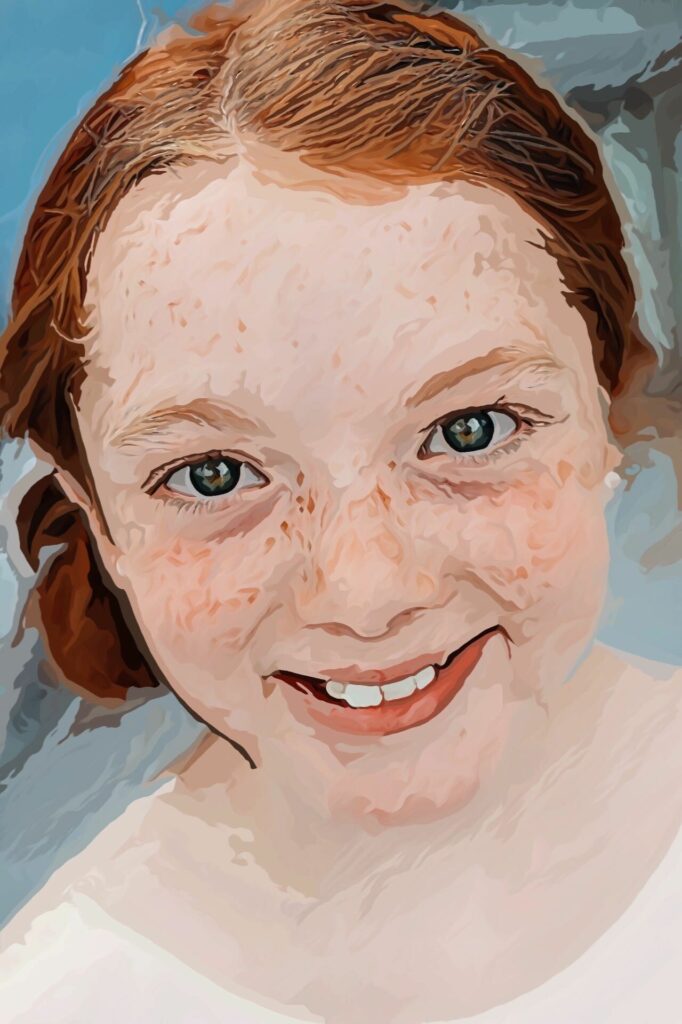
after painting effect
Try the Colorcinch Watercolor Photo Effect now!

Why People Love Turning Photos into Watercolor Art

There’s a growing trend in digital photography where people don’t just want edited photos—they want transformed memories.

A watercolor-style image feels:

  • More personal than a filter
  • More artistic than a photo
  • More meaningful when printed

That’s why tools like Colorcinch are becoming popular among photographers, content creators, and even casual users who just want better-looking memories.
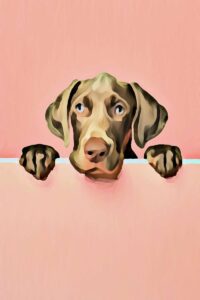
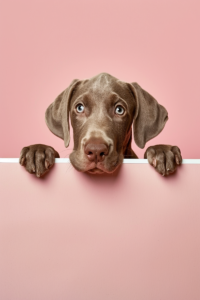
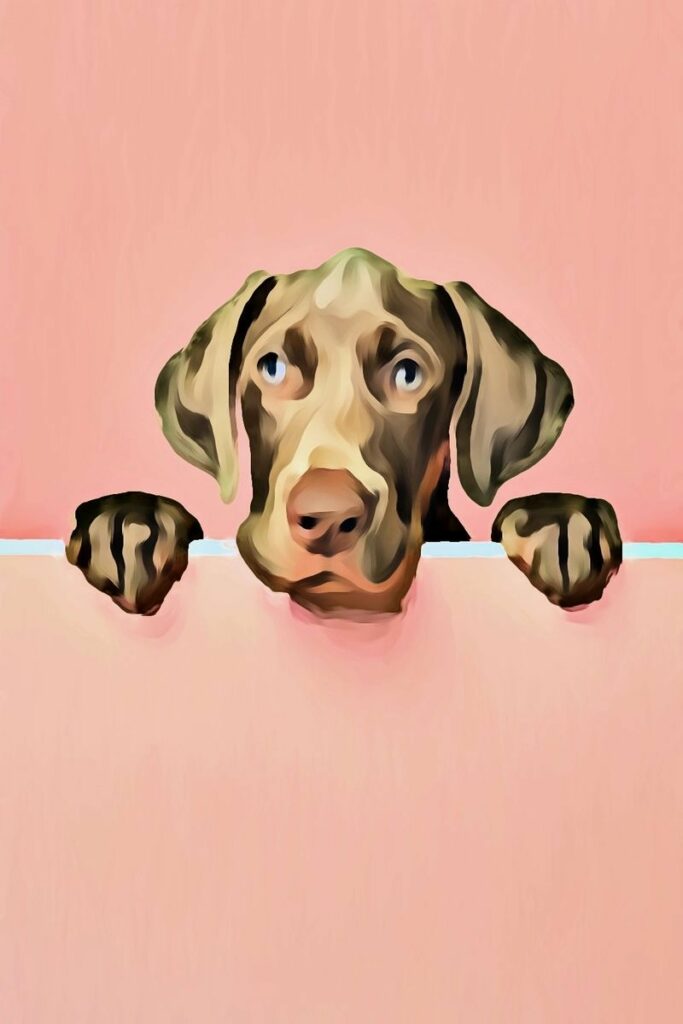
watercolor painting of a dog by colorcinch
Curious Weimaraner Puppy

Where These Images Work Best

One of the reasons watercolor-style artwork remains so popular is its versatility. The soft color transitions, painterly textures, and handcrafted aesthetic allow it to complement a wide range of creative and decorative applications.

Canvas Prints and Wall Art

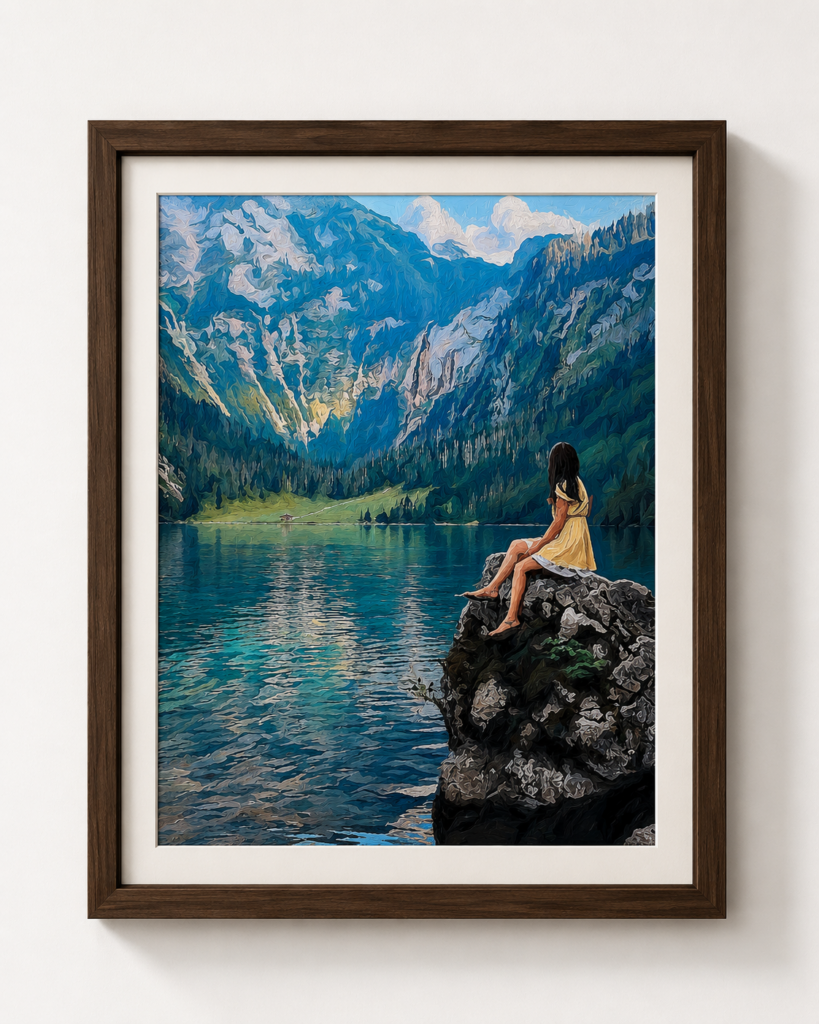
Watercolor-inspired images are especially effective as canvas prints because the style naturally mimics traditional painted artwork. The soft edges and layered colors create visual depth without overwhelming a space, making them suitable for living rooms, bedrooms, home offices, and even commercial interiors.

Unlike highly detailed photographs that can sometimes feel visually busy when enlarged, watercolor artwork often becomes more appealing at larger sizes. The brushstroke-like textures and subtle color blending add character and warmth to a room while maintaining an elegant, timeless appearance.

Personalized Gifts

Transforming a meaningful photo into a watercolor painting can turn an ordinary image into a memorable keepsake. Family portraits, pet photos, travel memories, and engagement pictures all take on a more artistic and sentimental quality when rendered in a watercolor style.

Because watercolor artwork feels both personal and handcrafted, it’s a popular choice for birthdays, anniversaries, Mother’s Day, Father’s Day, and holiday gifts.

travel photo watercolor canvas art

Social Media Content

In crowded social media feeds, artistic visuals often stand out more effectively than standard photographs. Watercolor-style images can add personality to profile graphics, story posts, announcements, and branded content.

For creators, photographers, and small businesses, this style provides a way to introduce visual variety while maintaining a polished and professional look. The softer aesthetic can also help establish a distinctive visual identity that feels creative rather than overly promotional.

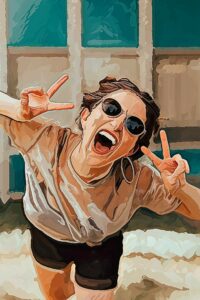
girl selfie watercolor
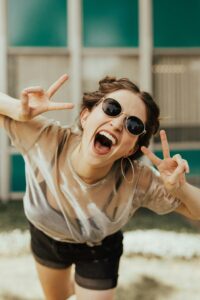
brooke-cagle-oTweoxMKdkA-unsplash

Upload photo

Digital Art Portfolios

Graphic designers, photographers, and digital artists frequently include watercolor-inspired pieces in their portfolios to showcase creative versatility. Converting photographs into painterly artwork demonstrates an ability to blend photography with artistic effects, resulting in work that feels more illustrative and expressive.

These images can also serve as portfolio highlights for projects involving branding, editorial design, book covers, greeting cards, or fine art prints.

flower spring watercolor canvas art by colorcinch

Event and Wedding Keepsakes

Watercolor effects work exceptionally well for commemorative pieces. Wedding portraits, engagement photos, graduation pictures, and milestone celebrations often gain an added sense of elegance when transformed into watercolor artwork.

Many couples choose watercolor-style images for framed prints, guest books, invitations, thank-you cards, and anniversary gifts because the artistic treatment creates a romantic, timeless feel that differs from traditional photography.

Why Watercolor Artwork Remains Popular

From a design perspective, watercolor-style images occupy a unique space between photography and traditional painting. They preserve the authenticity and emotional connection of a photograph while introducing the texture, softness, and artistic charm associated with hand-painted artwork.

This balance allows watercolor pieces to fit seamlessly into both contemporary and classic interiors. Whether displayed as large-format wall art, shared online, or preserved as a personal keepsake, watercolor-inspired images offer a sophisticated way to transform everyday photographs into artwork with lasting visual appeal.

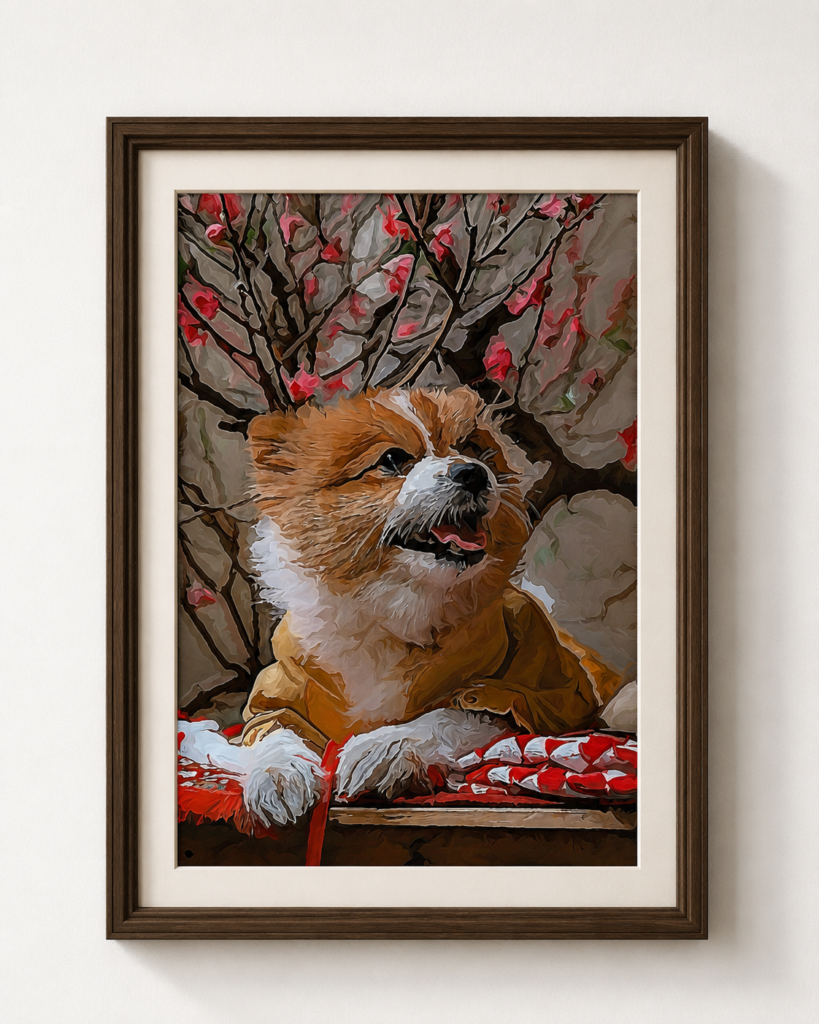
dog watercolor canvas art

Final Thoughts

Turning a photo into a watercolor canvas print isn’t just about applying an effect—it’s about reinterpreting a memory in a more artistic way.

With tools like Colorcinch, you don’t need advanced editing skills to achieve this. Features like photo to sketch effects and photo to painting tools make it easy to experiment and create something that feels handcrafted, even if it started as a simple snapshot.

At the end of the day, the best results come from a thoughtful combination of:

  • The right photo
  • The right level of artistic styling
  • And a clear intention for how you want the final image to feel

When those three come together, a simple image becomes something worth framing.

colorcinch photo to watercolor effectcolorcinch watercolorwatercolor artwatercolor canvas printwatercolor photo effect
126 Posts
Cristhy Calague
Cristhy is a Digital Marketing Specialist at Colorcinch. She loves traveling, reading romantic-comedy books, and baking cheesecakes.
  • How to Add Frames to Photos for Stunning Profile Pictures
    Previous PostHow to Add Frames to Photos for Stunning Profile Pictures

Related Posts

How to Add Frames to Photos for Stunning Profile Pictures
Blog Creative

How to Add Frames to Photos for Stunning Profile Pictures

How to Make Your Own Adult Coloring Pages (Even If You’re Not an Artist)
Blog Creative

How to Make Your Own Adult Coloring Pages (Even If You’re Not an Artist)

How to Create Black and White Cartoon Characters from Photos
Blog Creative

How to Create Black and White Cartoon Characters from Photos

Instagram-Worthy Photography Ideas in 2026
Blog Creative

Instagram-Worthy Photography Ideas in 2026

colorcinch-dark

All Rights Reserved
© Colorcinch

Product

  • Home
  • Get started
  • Features
  • Pricing
More
  • Image Cartoonizer
  • Image Cartoonizer Premium
  • Image Cartoonizer for PC
  • Sitemap

Company

  • About us
  • Leadership
  • Careers
  • Affiliate program
  • Contact us

Information

  • Photo Editor
  • Online Cartoonizer
  • FX Cartoonizer
  • FAQ
  • Blog
  • Support

Subscribe to our newsletter:

Product of eVeek, LLC

© Colorcinch. All Rights Reserved.

Terms of Service  Privacy Policy  Disclaimers

colorcinch-dark
English
  • English
  • French
  • Spanish
  • Indonesian
  • Turkish
  • Arabic
  • German
  • Italian
  • Portuguese
  • Russian

Terms of Service       Privacy Policy      Disclaimers

  • Home
  • Get started
  • Features
  • Pricing
Copy

Forgot password