


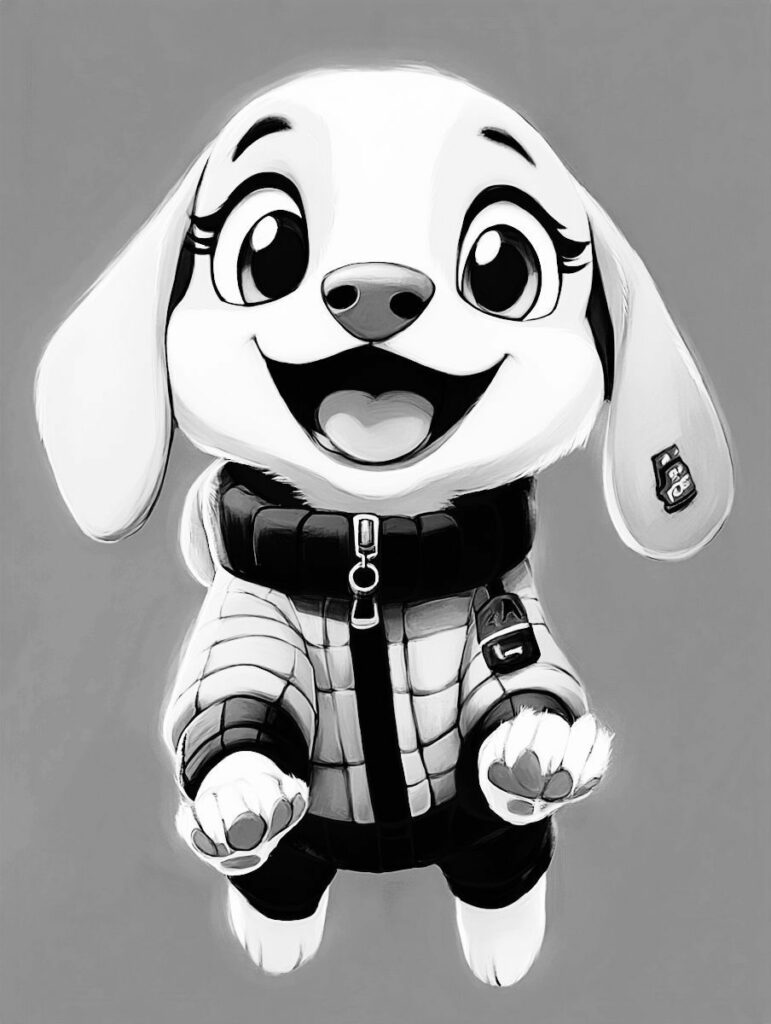
Black and white cartoon characters have become one of the most recognizable styles in modern digital art. From social media avatars to branding visuals, this minimalist aesthetic is widely used because it is clean, expressive, and visually striking.
Unlike traditional colored cartoons, black and white cartoon portraits focus on contrast, structure, and expression. They simplify real photos into stylized illustrations that resemble sketches or ink drawings.
With modern tools like Cartoonize, creating this effect no longer requires drawing skills or professional design software. Anyone can turn a photo into a black and white cartoon character in just a few steps.
This guide explains what the style is, why it is trending, and how to create it effectively while following best practices used by designers and digital creators.
What Are Black and White Cartoon Characters?
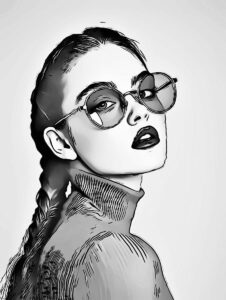
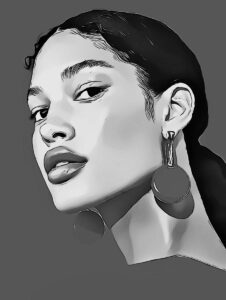
Black and white cartoon characters are stylized digital illustrations created from real photographs. They remove color and focus on visual essentials such as:
- Strong outlines and edges
- Light and shadow contrast
- Simplified facial details
- Sketch-like textures
Instead of realism, the goal is interpretation. The subject remains recognizable, but the visual style is reduced to its most expressive form.
This type of artwork is commonly used in:
- Profile pictures
- Digital illustrations
- Branding visuals
- Editorial graphics
- Creative merchandise
The simplicity of black and white design allows the subject to stand out without distraction.
Why Black and White Cartoon Portraits Are So Popular
The popularity of this style is not accidental. It aligns with several ongoing trends in digital design and social media behavior.
1. Minimalism in Visual Design
Modern audiences prefer clean, simple visuals. Black and white cartoon portraits remove unnecessary color complexity, making the subject easier to recognize and remember.
2. Strong Personal Branding
People increasingly use stylized portraits instead of real photos for online identities. A cartoon version feels more creative while still being personal.
3. Versatile Application
This style works across multiple platforms and purposes:
- Social media avatars
- Professional branding
- YouTube or podcast visuals
- Personal websites
- Digital portfolios
4. Timeless Aesthetic
Unlike color trends that change over time, black and white visuals remain consistently relevant. They are not tied to seasons or fashion cycles.
How Black and White Cartoon Characters Are Created
Traditionally, this type of artwork required illustration skills, digital drawing tablets, and professional software like Photoshop or Illustrator.
Today, AI-powered and browser-based tools simplify the process by automating most of the work. One such tool is the Cartoonizer feature in Cartoonize, which allows users to convert photos into cartoon-style artwork instantly.
The process generally involves:
- Uploading a photo
- Applying a cartoon effect
- Converting the result to black and white
- Refining contrast and details
This workflow makes the style accessible to beginners while still allowing customization.
Step-by-Step Guide to Creating Black and White Cartoon Characters
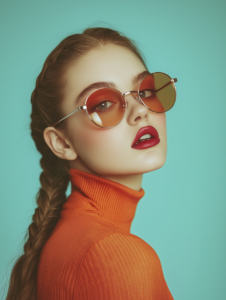
Step 1: Choose a High-Quality Photo
The foundation of a good cartoon transformation is the original image. A strong input leads to a stronger output.
Best practices include:
- Use high-resolution images
- Choose well-lit portraits
- Ensure facial features are visible
- Avoid heavy filters or blur
Front-facing photos typically produce the most accurate results.
Step 2: Upload Your Image to Cartoonize
Begin by uploading your selected photo to Cartoonize.
The platform is designed for ease of use, allowing users to access editing tools directly from their browser without installation.
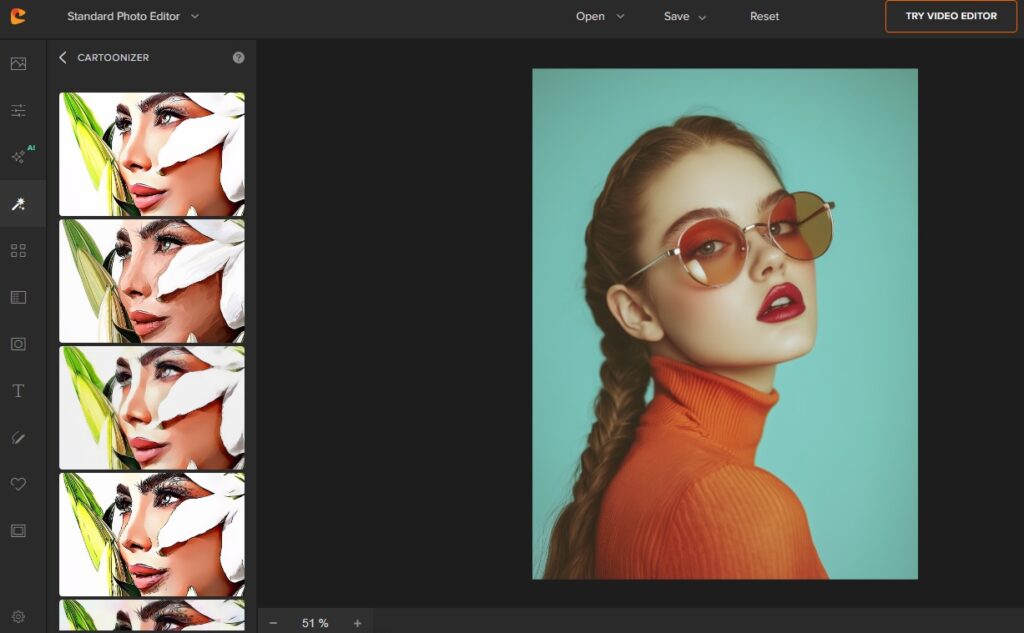
Step 3: Apply the Cartoonizer Effect
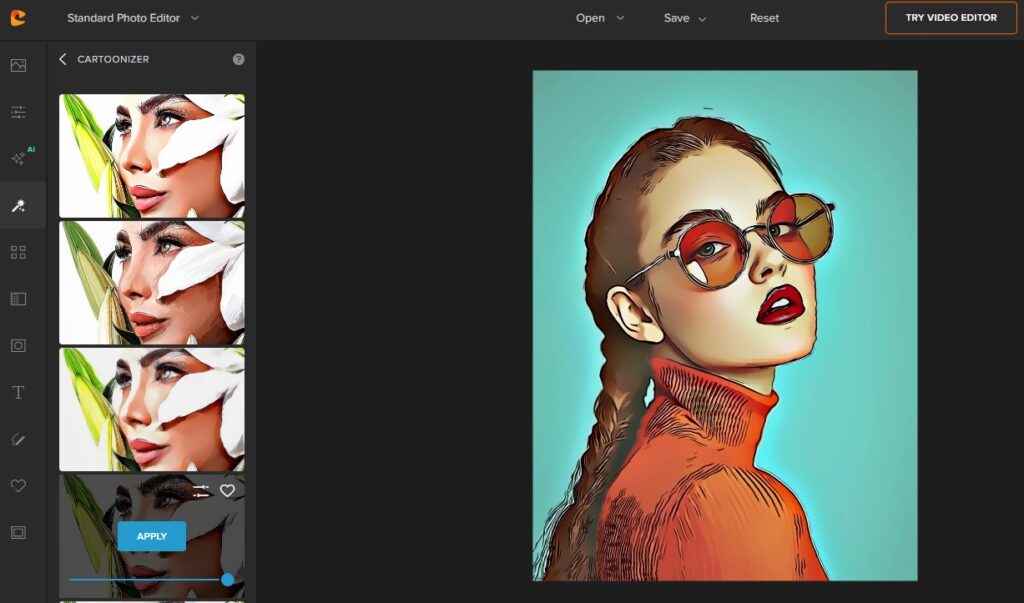
Next, use the Cartoonizer tool to convert the photo into a stylized illustration.
This step automatically:
- Detects edges
- Simplifies shapes
- Enhances outlines
- Reduces photographic detail
At this stage, the image already resembles a cartoon-style portrait.
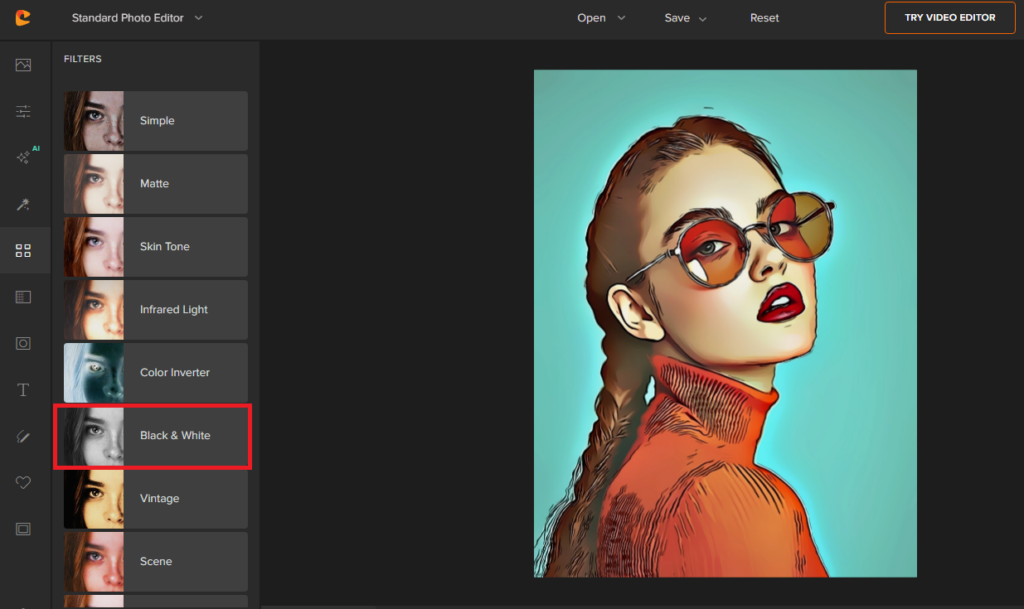
Step 4: Convert the Image to Black and White
Once the cartoon effect is applied, switch the image to grayscale using the Black and White Filter.
This removes color information and emphasizes:
- Facial structure
- Contrast between light and dark areas
- Artistic shading
This step is what defines the “black and white cartoon” look.
Step 5: Adjust Contrast and Sharpness
To improve visual quality, fine-tune the image using basic adjustments:
- Increase contrast slightly for stronger outlines
- Adjust brightness for balance
- Enhance sharpness to refine details
These adjustments help create a more polished and intentional illustration.
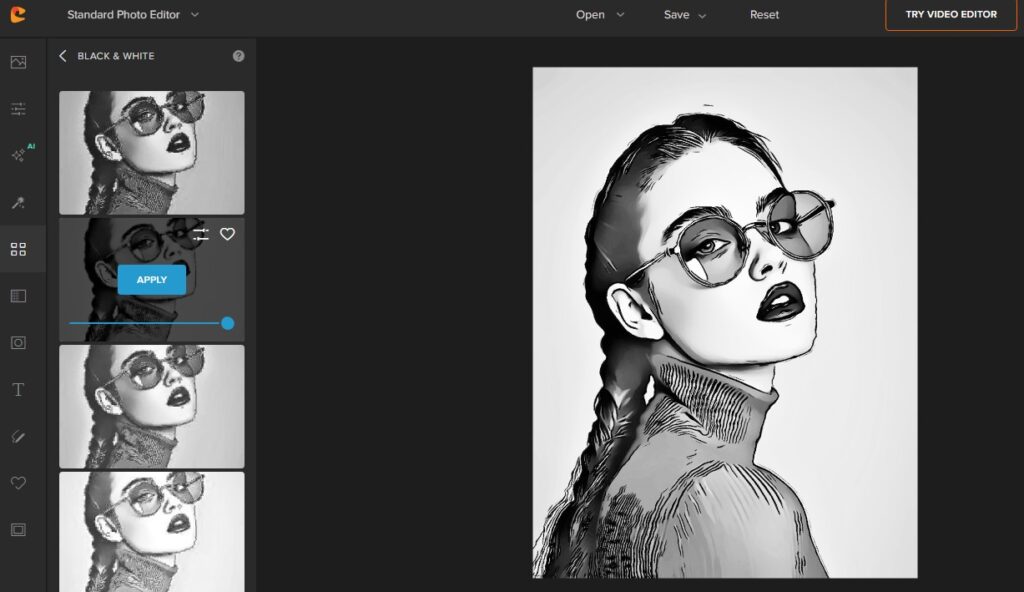
Step 6: Final Refinements
Optional enhancements can further improve the result:
- Add subtle background blur to highlight the subject
- Apply vignette for focus
- Clean up edges if necessary
These refinements are especially useful for profile images or branding materials.
Best Types of Photos for This Style
Not all images convert equally well into cartoon-style portraits. The best results typically come from:
Portrait Characteristics
- Clear facial visibility
- Neutral or expressive facial expressions
- Simple composition
Lighting Conditions
- Natural lighting is preferred
- Avoid harsh shadows or overexposure
- Balanced contrast works best
Background Considerations
- Plain or blurred backgrounds
- Minimal distractions
- Single-subject focus
Following these guidelines ensures better transformation quality.
Common Uses of Black and White Cartoon Characters
This style is widely used in both personal and professional contexts.
1. Social Media Profiles
Many users replace real photos with cartoon versions for a more artistic identity.
2. Personal Branding
Freelancers, creators, and entrepreneurs use stylized portraits to build recognizable brand visuals.
3. Content Creation
YouTubers, podcasters, and bloggers often use cartoon avatars for consistency across platforms.
4. Gifts and Personal Projects
Custom cartoon portraits are often used in:
- Prints
- Stickers
- Cards
- Digital gifts
Advantages of Using Cartoonize for Cartoon Transformations
Using Cartoonize provides several benefits:
- No design experience required
- Browser-based editing (no installation needed)
- Fast processing and results
- Multiple customization options
- Beginner-friendly interface
It allows users to achieve professional-looking results without technical barriers.
Expert Tips for Better Results
Based on digital editing best practices, here are some expert recommendations:
- Always start with a high-quality image
- Avoid over-editing before applying cartoon effects
- Experiment with multiple photos for better selection
- Maintain consistent style if used for branding
- Keep background elements simple
These practices improve both visual quality and consistency.
Conclusion
Black and white cartoon characters represent a powerful blend of simplicity and creativity. They transform ordinary photos into expressive, artistic visuals that work across personal and professional use cases.
With tools like Cartoonize, creating this effect has become accessible to everyone, regardless of design experience.
Whether you are building a personal brand, updating your social media identity, or exploring creative edits, this style offers a timeless and visually appealing solution.
