



Ever scroll through Instagram or Pinterest and find yourself drawn to those dreamy, golden-hued photos with warm, cheerful text overlays? That’s the magic of the yellow aesthetic. Whether you’re creating content for social media, building your personal brand, or just want to give your snapshots a cozy, sun-kissed vibe, yellow text is an easy yet powerful way to elevate your photos.
In this guide, we’ll show you how to add aesthetic yellow text to your images using Cartoonize — a free and beginner-friendly online photo editor. No complicated tools, no sign-up required. Just pure creative fun.
Try This Look On Your Own Photo In 60 Seconds
Upload your image, apply pro edits instantly, and export in high quality.
Fast workflow | Beginner friendly | Browser based
Why Choose a Yellow Aesthetic?
Yellow is a color that radiates positivity, warmth, and energy. It instantly grabs attention and adds a happy, nostalgic touch to any image. That’s why you’ll often see it in lifestyle blogs, travel photos, mood boards, and aesthetic social feeds.
Reasons to Love Yellow Text
- Emotionally uplifting: Yellow evokes joy and optimism.
- Eye-catching: It pops against both dark and light backgrounds.
- Trendy: It complements vintage filters and dreamy edits.
Whether you use mustard yellow for a retro vibe or soft pastel yellow for a dreamy feel, it brings a certain charm you can’t ignore.
How to Add Yellow Text Using Cartoonize
Cartoonize makes it incredibly easy to add aesthetic yellow text to your photos. Let’s walk through the process:
Step 1: Open Your Photo in Cartoonize
Go to Cartoonize and upload your photo.
Step 2: Apply a Filter (Optional but Recommended)
Want that full-on aesthetic vibe? Head to the Filters tab and explore filters like:
- Muted Colors: Great for dreamy portraits.
- Vintage: For a nostalgic, film-like finish.
- Ghibli-Inspired: Adds a storybook-like charm.
Applying a filter first helps create a cohesive look that enhances the yellow text overlay.
Step 3: Add Text to Your Photo
Click on the Text tab and hit “Add Text”. A text box will appear on your photo. Type in your quote, caption, or whatever message fits your mood.
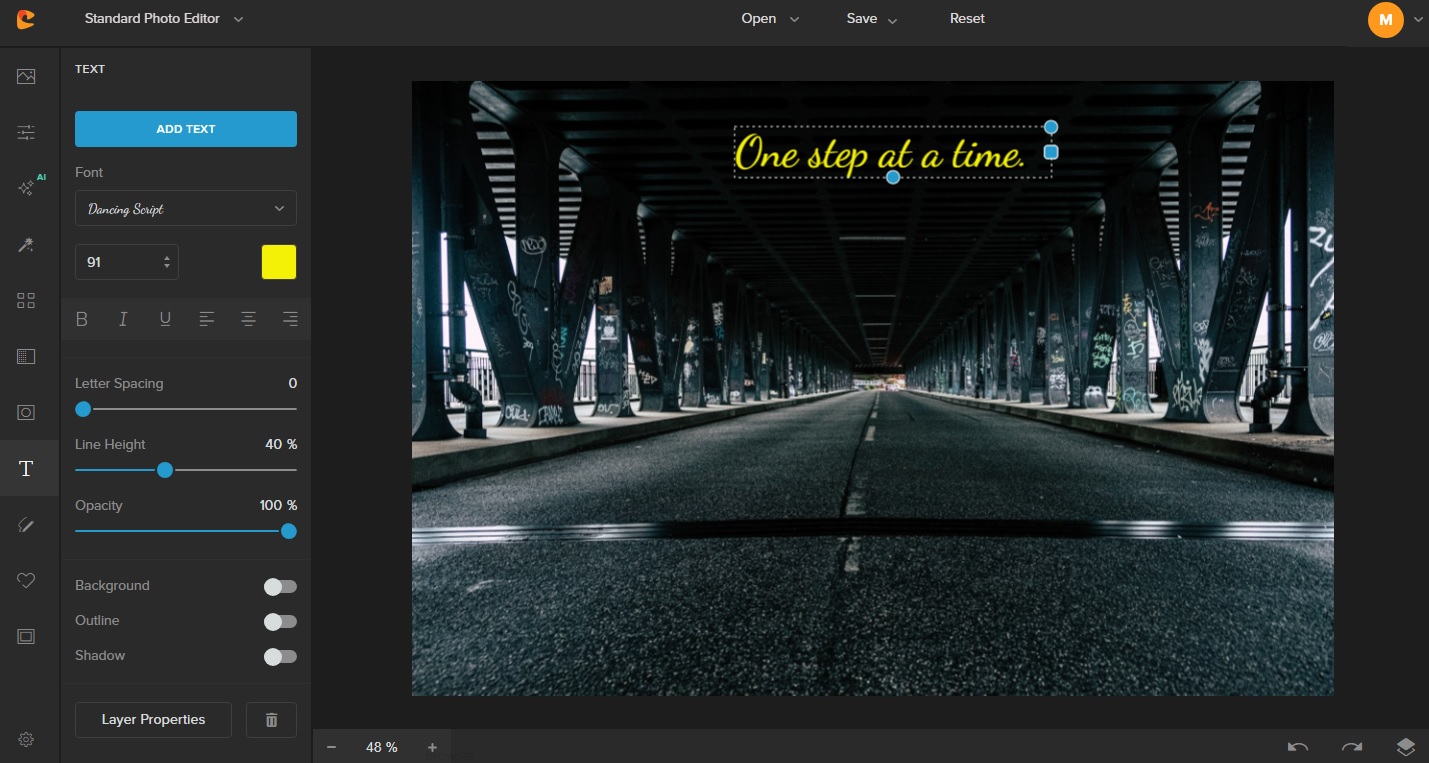
Step 4: Customize Your Text Style
Here comes the fun part. You can:
- Choose a bold or handwritten font depending on your vibe.
- Resize and move your text freely.
- Rotate it slightly for that scrapbook-style layout.
Make sure the placement doesn’t obscure key parts of your image.
Step 5: Pick the Perfect Yellow
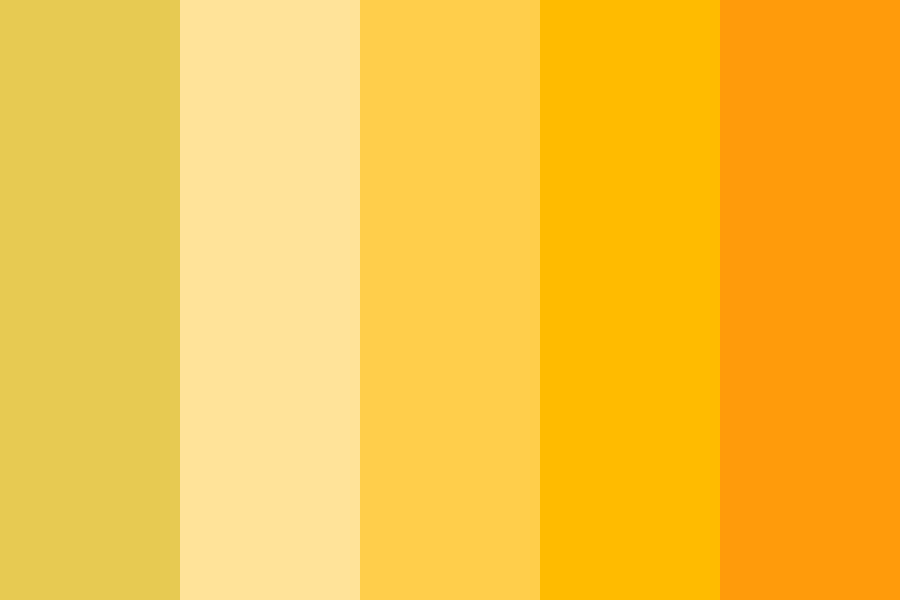
Click on the color palette and select a shade of yellow. Here are a few suggestions:
- Mustard Yellow: Warm and retro.
- Lemon Yellow: Bright and punchy.
- Butter Yellow: Soft and subtle.
Play around with transparency if you want a more blended, artsy effect.
Want The Same Result Without Complex Tools?
Recreate this exact style with one image upload inside Cartoonize Editor. Edit, compare, and download in minutes.
Step 6: Add a Drop Shadow or Glow (Optional)
To make your text pop even more, use the Text Effects panel to add a slight drop shadow or glow. This adds depth and keeps the yellow visible even on bright areas of your image.
Step 7: Save Your Aesthetic Edit
Once you’re happy with the look, click “Save” at the top right. Choose your desired quality and format.
And just like that, you’ve created a photo that’s ready for your feed, blog, or mood board.
Design Tips for a Strong Yellow Aesthetic
Adding aesthetic yellow text is just one part of the puzzle. Here are some tips to help your visuals stand out even more:
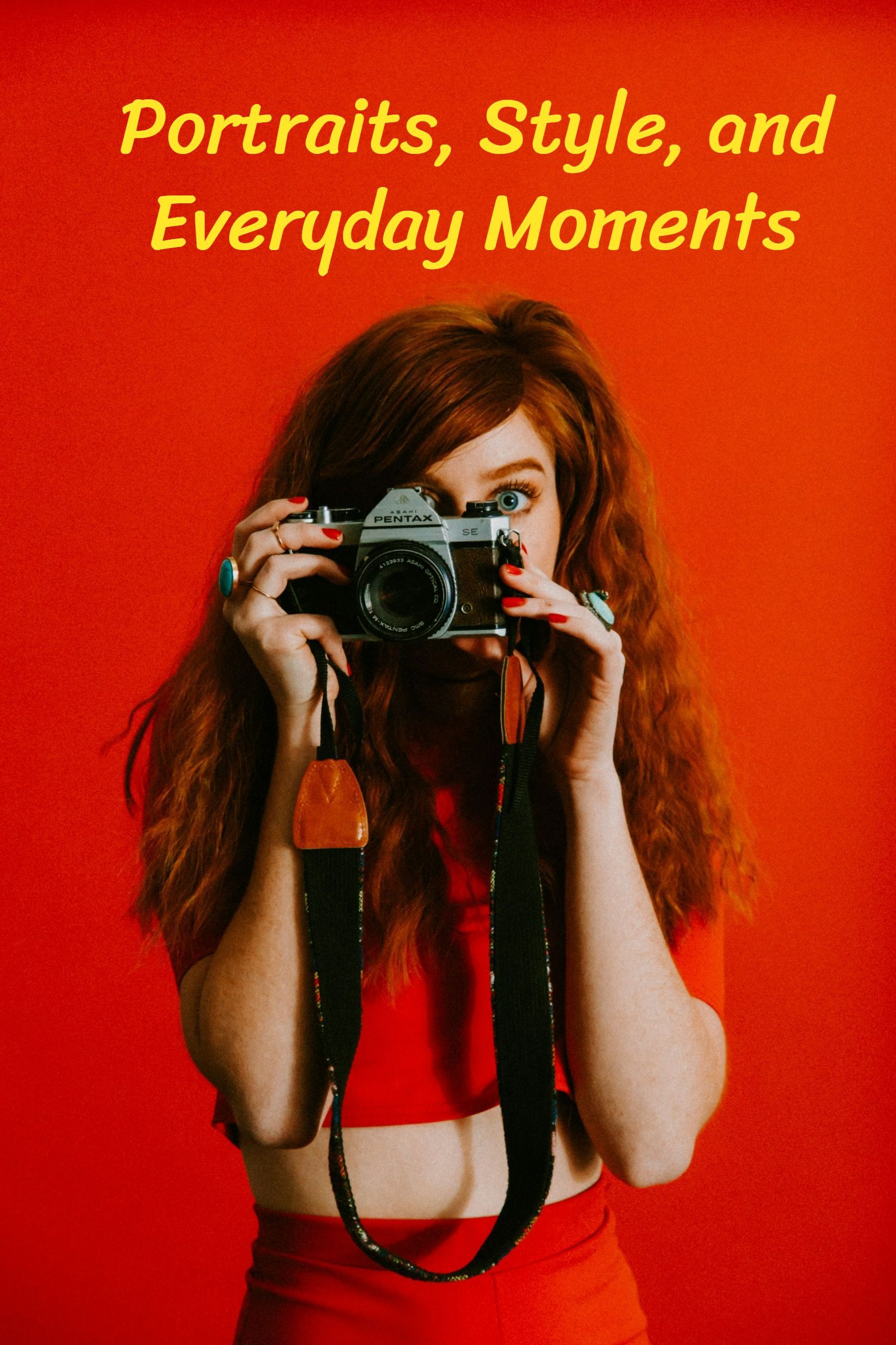
- Use Consistent Tones: Stick to a warm color palette with browns, oranges, creams, and of course, yellow.
- Incorporate Natural Light: Golden hour photos pair beautifully with yellow text.
- Add Texture: Grainy filters or soft light flares enhance the vintage feel.
- Layer Elements: Combine text with stickers, doodles, or shapes in Cartoonize to create a collage-like effect.
Inspiration: Where to Use Yellow Text
Now that you’ve created your dreamy, sun-kissed edits, it’s time to put them to good use. Aesthetic yellow text adds charm and warmth to almost any digital creation, making it a versatile tool in your creative toolkit.
Instagram posts & stories are a perfect place to start. Yellow text stands out in feeds and adds a pop of energy to your visuals—perfect for quotes, travel moments, or lifestyle snapshots. Pinterest pins also benefit from yellow’s eye-catching quality, helping your content stand out in a sea of images.
If you’re a blogger or content creator, try using yellow text for blog headers and thumbnails to give your site a cohesive, sunny vibe. It’s also great for vision boards and mood collages, where colors play a huge role in setting the tone. A little yellow can spark joy and inspiration with just a glance.
Into journaling or scrapbooking? Add yellow text to your digital journal pages or scrapbook-style designs to highlight memories and moments. It also works beautifully for event invitations or e-cards, giving them a cheerful and welcoming feel.
In short, use yellow text anywhere you want to inject warmth, positivity, and personality into your design. With the right shade and style, it’s your secret weapon for making content that radiates joy.
Why Choose Cartoonize?
There are a ton of photo editing apps out there, but Cartoonize is built for simplicity and creativity. Here’s why it’s a perfect match for your aesthetic yellow project:
- Free and No Sign-Up: Jump straight into editing.
- Offline Access: With the desktop app, you can edit anywhere.
- Unique Filters: Including cartoonizer, Ghibli-style effects, and more.
- Beginner-Friendly: No learning curve. Just click and create.
Whether you’re designing graphics for a small business or just playing around for fun, Cartoonize makes the process smooth and enjoyable.
Final Thoughts
Adding aesthetic yellow text to your photos is a simple yet powerful way to express your style and mood. With the right tools, like Cartoonize, and a touch of creativity, you can turn ordinary images into scroll-stopping visuals. While the opposite of yellow—cooler tones like blues or purples—can evoke calm and serenity, yellow brings warmth, energy, and a cheerful glow that stands out effortlessly.
So go ahead, embrace the yellow aesthetic. Brighten up your feed, tell your story, and let your creativity shine—one golden caption at a time.
Ready To Create Your Version?
Put this guide into action now. Start editing your photo directly in Cartoonize and export your final image today.
