

• Tools
    • Column 1
      • Essential
        • Photo Editor
        • Background Remover
        • Image Cropper
        • Image Resizer
        • Image Flipper
        • Image Brightener
        • Image Darkener
        • Text Editor
        • Color Replacer
        • Photo Blur
    • Column 2
      • Filters & Effects
        • Photo Cartoonizer
        • NFT Maker
        • Photo to Painting
        • Photo to Drawing
        • Photo to Sketch
        • Image Posterizer
        • Color Inverter
        • Sepia Converter
        • Grayscale Images
        • Photo Filters
        • Photo Frames
        • FX Cartoonizer
    • Column 6
      • Overlays & Masks
        • Image Masking
        • Mystical Fog
        • Falling Rain
        • Falling Snow
        • Add Glitch
        • Add Bokeh
        • Add Light Leaks
        • Image Blender
    • Column 3
      • Social Media
        • Profile Picture Maker
        • Avatar Maker
        • Meme Generator
        • Watermark Photos
        • Twitch Banner Maker
        • Photo Combiner
    • Column 4
      • Converters
        • PNG to JPG
        • JPG to PDF
        • PNG Converter
        • PNG Maker
        • Image Compressor
    • Column 5
      • Creative
        • Image Pixelator
        • Color Splash
        • Draw on Pictures
        • Background Changer
        • Hair Color Changer
        • Color Picker
        • Circle Cropper
  • Features
  • Pricing
  • Learn
  • Support
  • More
    • About us
    • Affiliate program
    • Contact us
© All rights reserved.
Photo to Cartoon – Cartoonize Yourself – Character Maker Photo to Cartoon – Cartoonize Yourself – Character Maker
  • AI Tools new
    • Face Restoration
    • Inpainting & Removal
    • Background Removal
    • Image Upscale
    • Image De-oldify
    • Face to Sticker
    • Prompt Generation
    • Photo to Anime
  • Tools
    • Column 1
      • Essential
        • Photo Editor
        • Background Remover
        • Image Cropper
        • Image Resizer
        • Image Flipper
        • Image Brightener
        • Image Darkener
        • Text Editor
        • Color Replacer
        • Photo Blur
    • Column 2
      • Filters & Effects
        • Photo Cartoonizer
        • NFT Maker
        • Photo to Painting
        • Photo to Drawing
        • Photo to Sketch
        • Image Posterizer
        • Color Inverter
        • Sepia Converter
        • Grayscale Images
        • Photo Filters
        • Photo Frames
        • FX Cartoonizer
    • Column 6
      • Overlays & Masks
        • Image Masking
        • Mystical Fog
        • Falling Rain
        • Falling Snow
        • Add Glitch
        • Add Bokeh
        • Add Light Leaks
        • Image Blender
    • Column 3
      • Social Media
        • Profile Picture Maker
        • Avatar Maker
        • Meme Generator
        • Watermark Photos
        • Twitch Banner Maker
        • Photo Combiner
    • Column 4
      • Converters
        • PNG to JPG
        • JPG to PDF
        • PNG Converter
        • PNG Maker
        • Image Compressor
    • Column 5
      • Creative
        • Image Pixelator
        • Color Splash
        • Draw on Pictures
        • Background Changer
        • Hair Color Changer
        • Color Picker
        • Circle Cropper
  • Features
  • Pricing
  • Learn
Get started
Sign in

Sign in

Photo to Cartoon – Cartoonize Yourself – Character Maker

How to Darken an Image Using Exposure

Home / Learn / Blog / How to Darken an Image Using Exposure
By Editorial inBlog, Tutorials

Exposure is one of the most important things when it comes to photography. It’s also one of the most frustrating things because there are so many settings and controls on your camera that can adjust it, but it’s hard to know which are the best ones.

The good news is, you can adjust it in post. We will show you how to easily adjust the exposure and darken your image using Colorcinch.

Darken Your Image by Adjusting the Exposure in Colorcinch

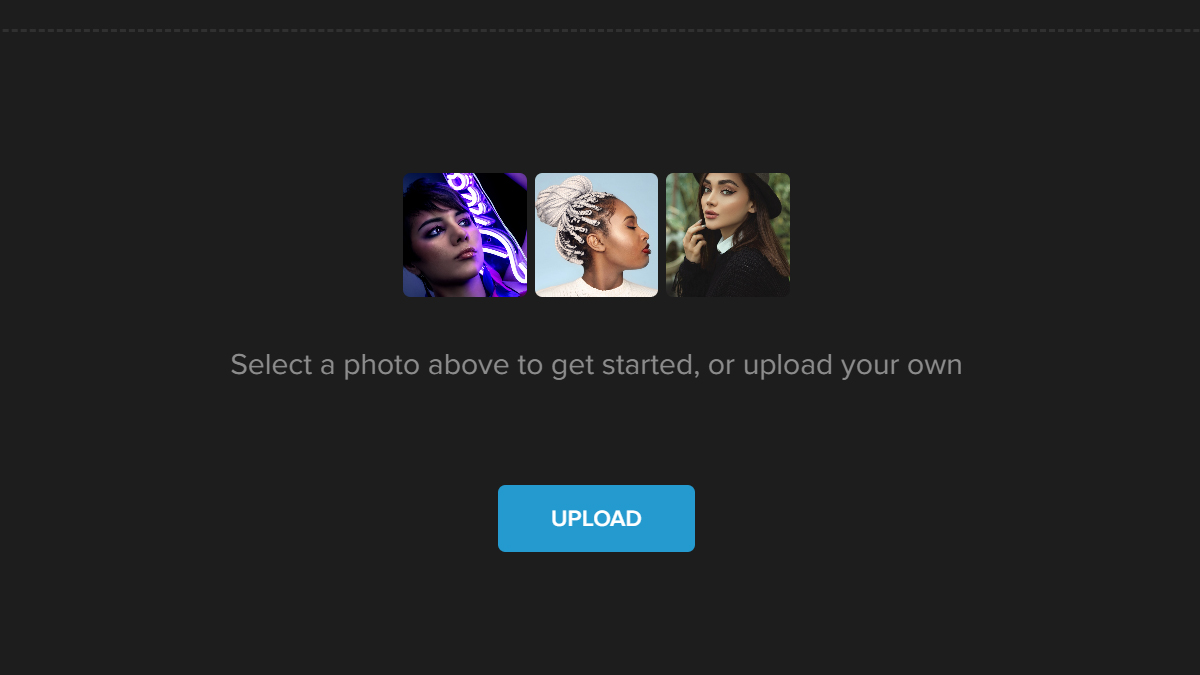
Step 1: Open Colorcinch and Upload an image.
Step 2: Navigate to Edit — Exposure.
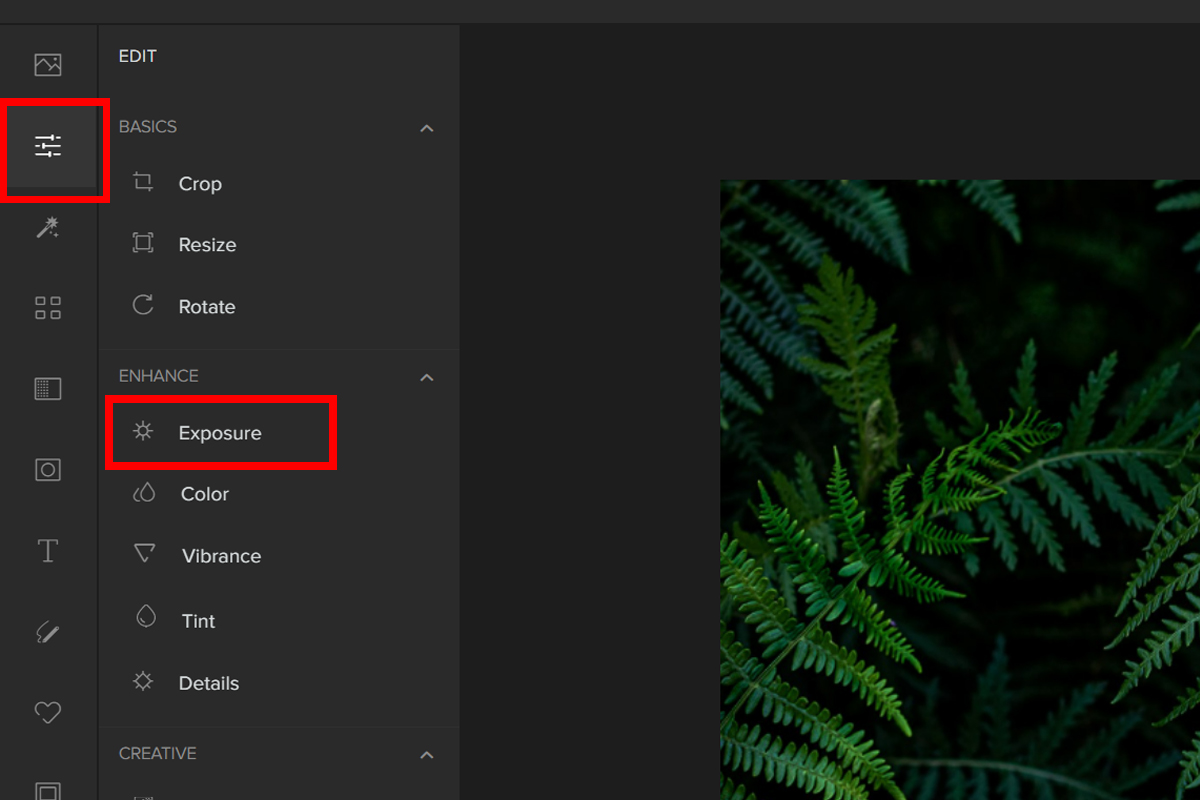
Step 3: Using the Exposure tab, you may fully edit your photo’s exposure. It includes four key components for adjusting exposure.

The four components that you can easily adjust using the Sliders are:

  •  Brightness – Brightness is how light or dark the complete image is. When the brightness is increased, every pixel brightens.
  •  Contrast  – Contrast is an image’s brightness difference. Increasing contrast makes lights brighter and darks darker.
  •  Highlights – When it comes to photography, a “highlight” is the brightest part of an image.
  •  Shadows – In photography, the shadow is the darkest part of the photo that still has some detail.
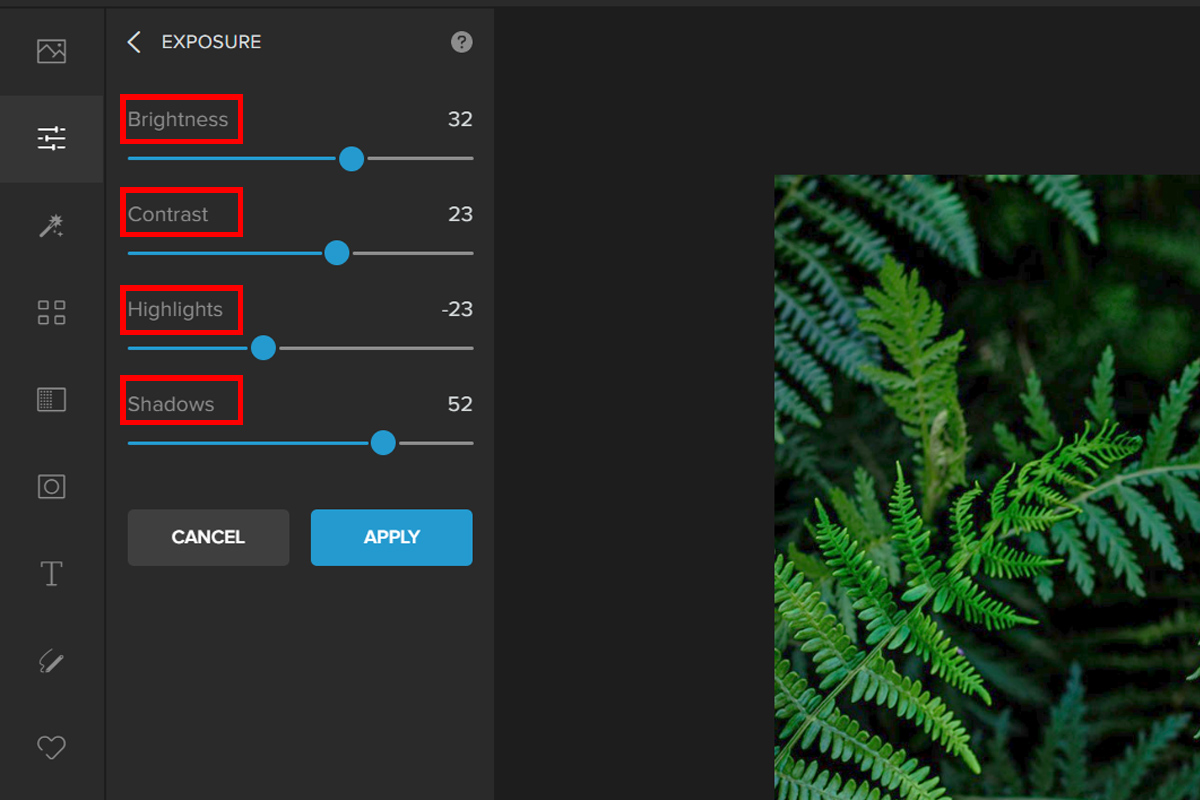
You can experiment with the Sliders to darken your photo.

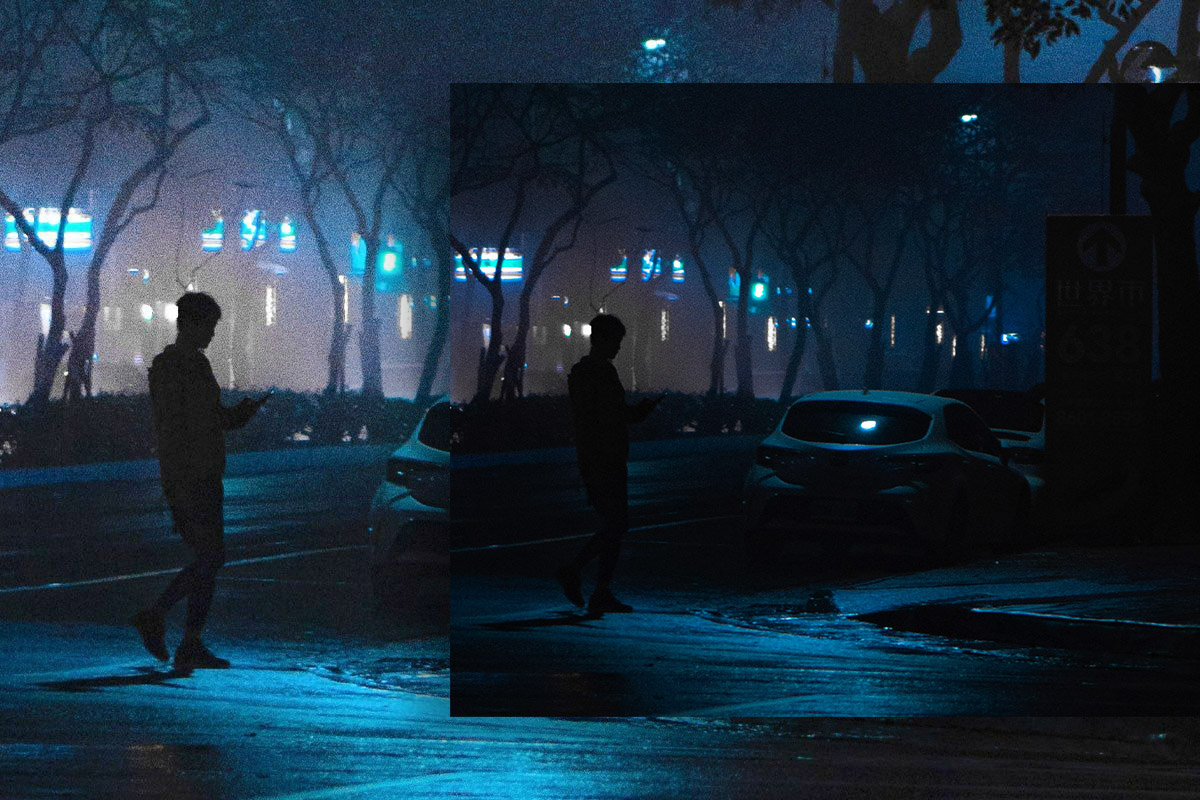
Here are the before and after:
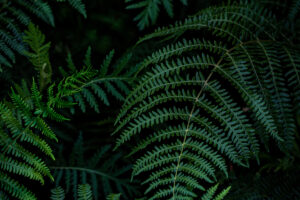
E1
xczxafds

Conclusion

So, to sum up, getting exposure right on your camera is important because it can help you take better pictures. If you want to play safe, there are a few simple rules that will make sure that the photos you take look great.

brightnessbrightness and contrastcontrastExposureexposure trianglehighlightsShadow
137 Posts
Editorial
  • How to Quickly & Easily Add Fog Overlay to a Photo
    Previous PostHow to Quickly & Easily Add Fog Overlay to a Photo
  • Next PostHow to Convert and Compress Any Image Online
    How to Quickly & Easily Add Fog Overlay to a Photo

Related Posts

Sticker Art: Complete Guide to Creating and Using Stickers
Blog Creative

Sticker Art: Complete Guide to Creating and Using Stickers

How to Turn Photos into Pen Drawings
Blog Creative

How to Turn Photos into Pen Drawings

How to Turn Your Photo into a Cute Monkey Cartoon
Blog Creative

How to Turn Your Photo into a Cute Monkey Cartoon

Aesthetic Drawing Ideas & Inspiration
Blog Creative

Aesthetic Drawing Ideas & Inspiration

colorcinch-dark

All Rights Reserved
© Colorcinch

Product

  • Home
  • Get started
  • Features
  • Pricing
More
  • Image Cartoonizer
  • Image Cartoonizer Premium
  • Image Cartoonizer for PC
  • Sitemap

Company

  • About us
  • Leadership
  • Careers
  • Affiliate program
  • Contact us

Information

  • Photo Editor
  • Online Cartoonizer
  • FX Cartoonizer
  • FAQ
  • Blog
  • Support

Subscribe to our newsletter:

Product of eVeek, LLC

© Colorcinch. All Rights Reserved.

Terms of Service  Privacy Policy  Disclaimers

colorcinch-dark
English
  • English
  • French
  • Spanish
  • Indonesian
  • Turkish
  • Arabic
  • German
  • Italian
  • Portuguese
  • Russian

Terms of Service       Privacy Policy      Disclaimers

  • Home
  • Get started
  • Features
  • Pricing
Copy

Forgot password